

DocsYour bot
Persona, answers and the AI model
The Persona and Model steps decide how your bot sounds, what it will answer, which AI model writes its answers, and how much it may spend.
Persona
Open your bot and go to Persona.
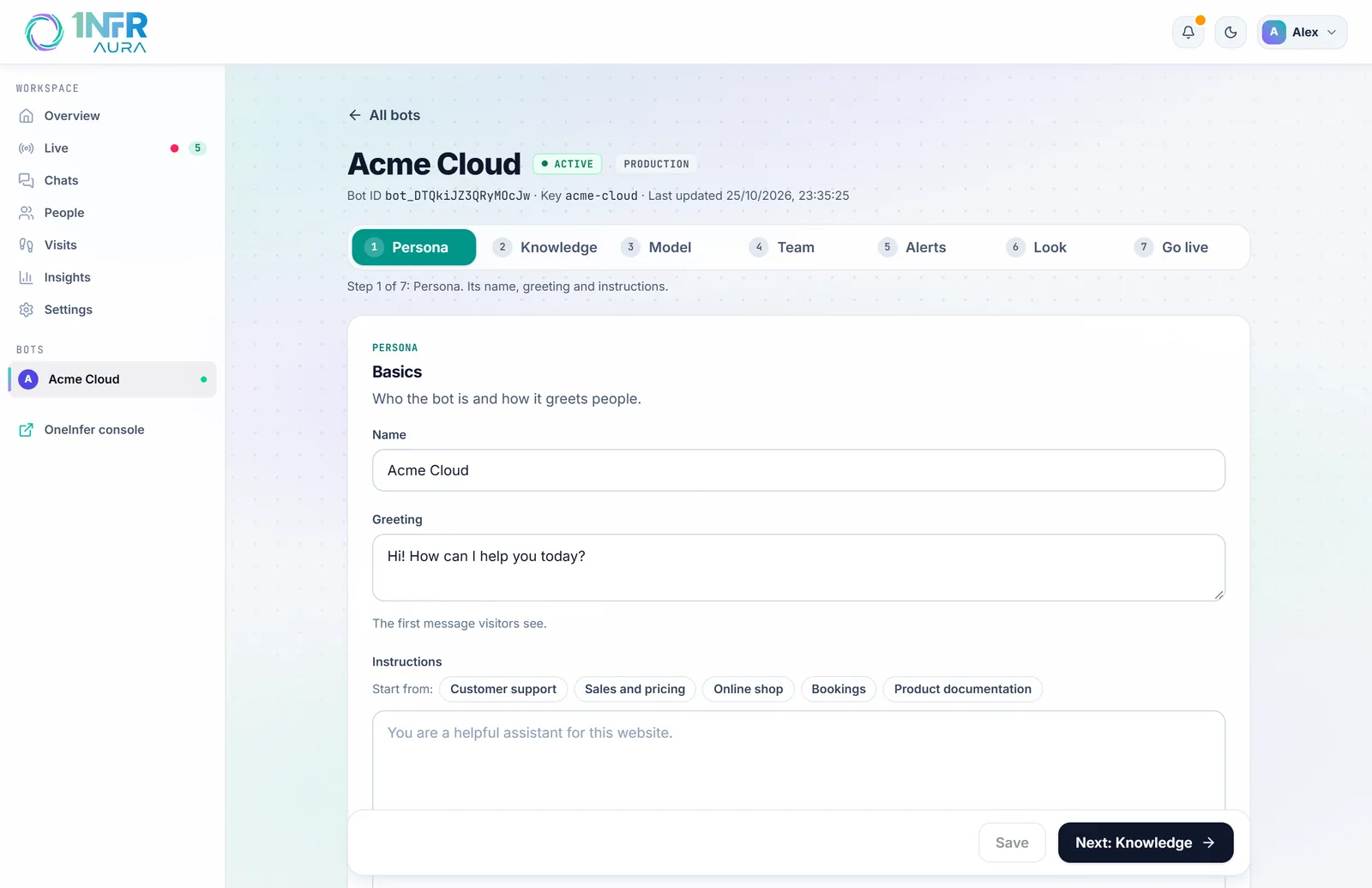
| Field | What it does |
|---|---|
| Name | The bot's name, shown at the top of the chat. Up to 120 characters. |
| Greeting | The first message visitors see. Up to 500 characters. By default: "Hi! How can I help you today?" |
| Instructions | Persona, tone and rules for the bot, up to 8,000 characters. Empty, it uses "You are a helpful assistant for this website." |
Start from a template
Under Start from, choose the template closest to your site: Customer support, Sales and pricing, Online shop, Bookings or Product documentation. Then replace every part in [brackets] with your own details. While any brackets remain, the editor reminds you to fill them in before going live.
Good instructions say who the bot works for, who it talks to, what it must never do, and when to offer a person. For example:
You answer questions for Acme Cloud, a hosting company, on its website.
Keep answers short and friendly. Quote prices exactly as they are in your knowledge.
Never promise refunds or discounts: offer to bring in the team instead.
If the visitor's plan is Pro, mention priority support.
That last line works when your site passes visitor details such as the plan.
Aura adds its own rules to every bot, so you don't need to: keep answers short and in plain text, never claim to have checked an account or order, offer a person when unsure, follow the answer scope below, and know the opening hours and the visitor's current page.
What the bot answers
On Knowledge, under Answers:
- Knowledge first (the default): it prefers your knowledge, and also answers general questions when it's confident.
- Knowledge only: it answers only from your knowledge. When nothing in your knowledge fits, it sends the fallback message without calling the AI at all.
The Fallback message is what the bot says when it can't answer, up to 500 characters. By default: "I'm not sure about that. Would you like me to connect you with our team?" If the visitor says yes ("yes", "sure", "ok", "please" and the like), your team is brought in. See Handoff and opening hours.
Answer in the visitor's language
Turn on Answer in the visitor's language, knowing where they are, and the bot answers in the language the visitor writes in. It's also told their country and local time, so it can mention opening hours or prices in their currency. Your greeting and fallback message stay as you wrote them. It's off by default.
Choose the AI model
On Model, each model shows what a month of chats would cost on it. Choose the volume under Costs for … AI chats a month (from 100 to 50,000) to compare.
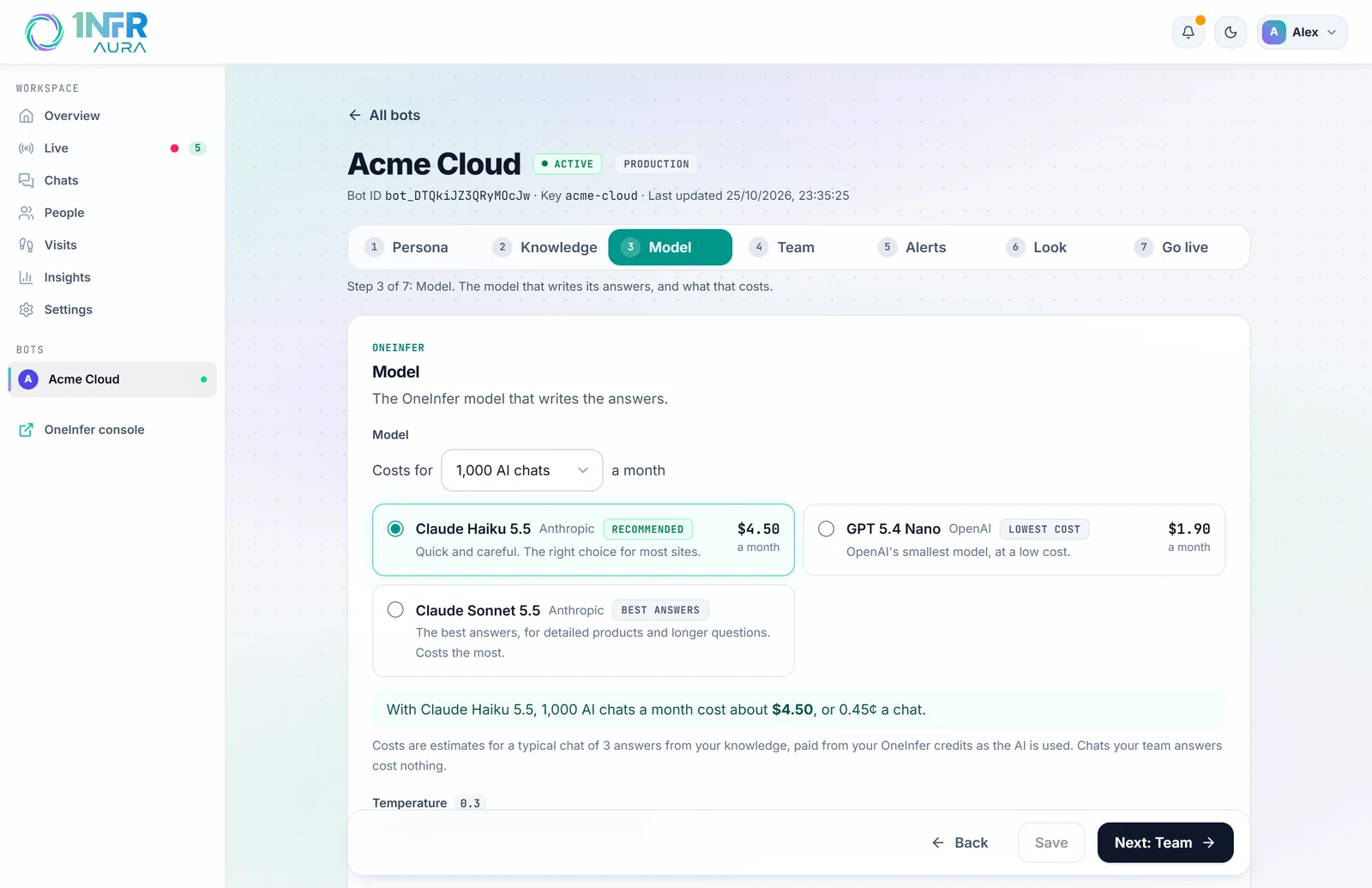
- Recommended (Claude Haiku 5.5): quick and careful, the right choice for most sites. About $4.50 for 1,000 AI chats.
- Lowest cost: the cheapest model at today's prices, fine for simple questions.
- Best answers (Claude Sonnet 5.5): for detailed products and longer questions. It costs the most.
The costs are estimates for a typical chat of three answers, paid from your OneInfer credits as the AI is used, at OneInfer's prices with no markup. They don't include Aura's 2¢ fee for each AI-answered conversation. Chats your team answers cost nothing. You can change the model at any time.
Temperature (0 to 1, default 0.3) sets how varied answers are. Lower is more focused and consistent.
Limits that protect your credits
| Setting | Default | What it does |
|---|---|---|
| AI answers a day, at most | 1,000 | Past it, the bot offers your team instead of answering, until midnight UTC. |
| Per chat | 40 answers | One chat can't use more than this. |
| Per visitor | 8 messages a minute | A visitor can't send more than this. |
| Ask possible scripts to show they're a person | On | When a visitor types random letters or writes faster than people do, the bot stops until they click "I'm a person". Their browser solves a small puzzle; nothing about them is stored. |
Read how chats went
Turn on Read finished chats for how they went and, when a chat closes, the bot's model reads it and notes whether it went well, neutrally or badly, with a one-line summary. You'll see it in Chats and in Insights. It costs about one short answer per chat, and it's off by default.
When the bot has a problem
If the bot can't answer for a reason that needs you, a warning shows at the top of its editor, and the bot sends its fallback message meanwhile:
- your OneInfer account is out of credits;
- it has no working OneInfer key (set up model access on the Overview);
- it reached today's limit of AI answers;
- its monthly $1 couldn't be taken. After 7 days unpaid, the bot is paused.