

DocsTeam and settings
Environments and bots as code
Environments keep a test bot apart from your live one. Bots as code lets you keep a bot's settings in your repository and deploy them from your pipeline, like the rest of your site.
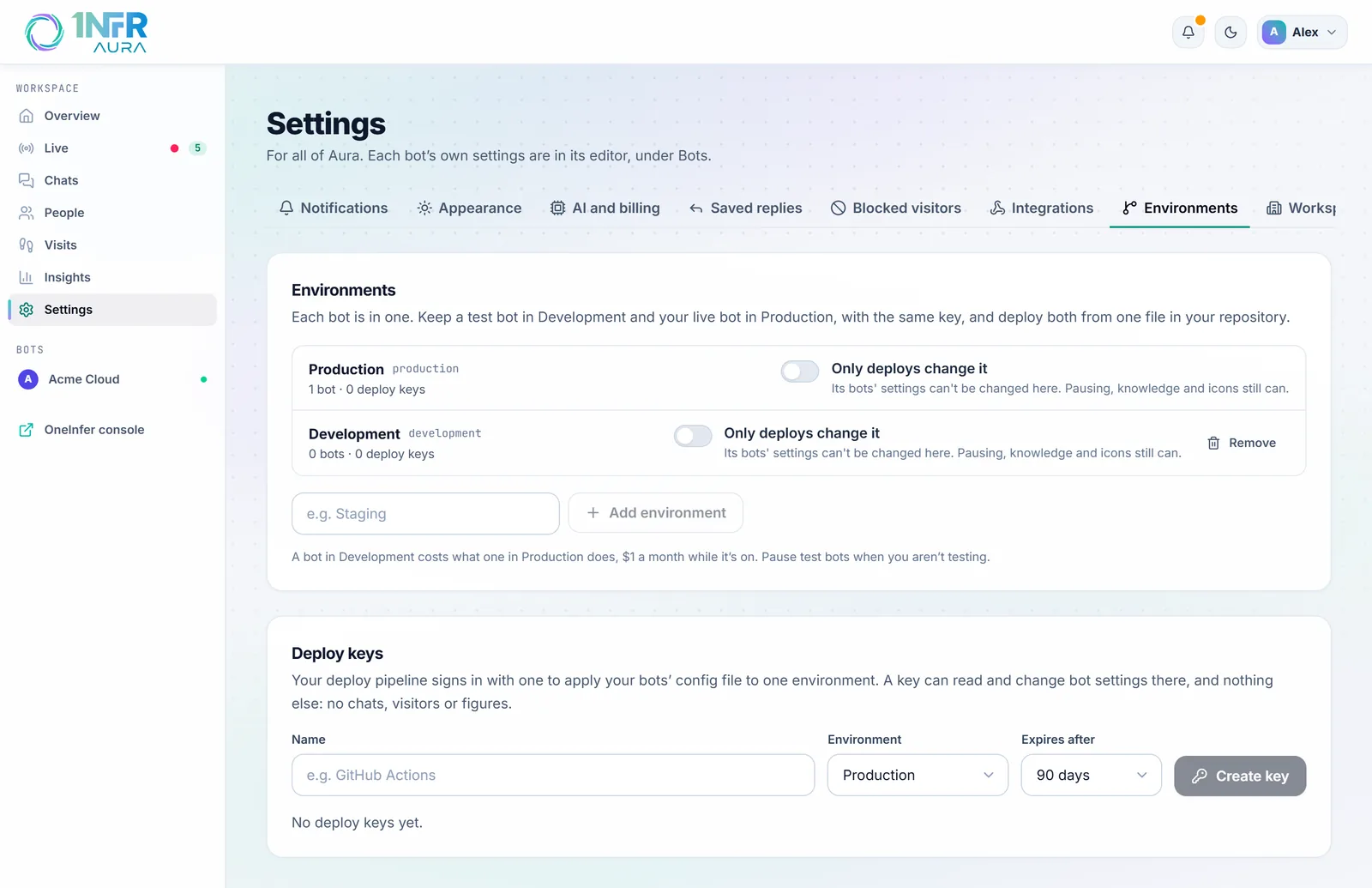
Environments and deploy keys are in Settings, under Environments.
Environments
Every workspace has Production and Development; you can add up to five in all, such as Staging. Each bot is in one. The Bots list on the Overview has a tab for each.
A common setup: a test bot in Development and your live bot in Production, with the same Key (set on each bot's Go live step, under Config file). One config file then deploys both.
A bot in Development costs what one in Production does, $1 a month while it's on. Pause test bots when you aren't testing.
Lock an environment
Only deploys change it locks an environment: its bots' settings change only through your deploy pipeline. You can still pause and turn on its bots, re-sync their knowledge, and set their Slack and Teams webhooks.
Export and import bots
- On a bot's Go live step, under Config file, Export downloads the bot (its settings, icon and knowledge) as a
.zip. - On the Overview, Export under the environment tabs downloads every bot in that environment.
- Import reads a
.zip(or a.jsonof settings) and shows what it would change in this environment, bot by bot, before you Apply it. New bots are created, at $1 a month each while they're on.
Import is also how you copy bots from one workspace to another.
Deploy from your pipeline
A deploy key lets your pipeline apply a config file to one environment. A key can read and change bot settings there, and nothing else: no chats, visitors or figures.
- In Deploy keys, give the key a Name such as "GitHub Actions", choose its Environment and when it Expires, then Create key.
- Copy the key now: you won't see it again. Save it as a secret in your pipeline, such as
AURA_DEPLOY_KEY. - In your pipeline, export the environment's bots, plan a change, and apply it:
curl -sS --fail-with-body https://api.oneinfer.ai/v1/aura/config \
  -H "Authorization: Bearer $AURA_DEPLOY_KEY" > aura.json

curl -sS --fail-with-body -X POST https://api.oneinfer.ai/v1/aura/config/plan \
  -H "Authorization: Bearer $AURA_DEPLOY_KEY" \
  -H "Content-Type: application/json" --data @aura.json

curl -sS --fail-with-body -X POST "https://api.oneinfer.ai/v1/aura/config/apply?commit=$GITHUB_SHA" \
  -H "Authorization: Bearer $AURA_DEPLOY_KEY" \
  -H "Content-Type: application/json" --data @aura.json
The Environments page shows these commands with your own address when you create a key.
After a deploy, each bot's editor says when it was deployed, with which key and from which commit. A bot changed in Aura since its last deploy is marked Changed since deploy, and the next deploy stops at it until the change is in your file.
History
Every bot keeps a History of its settings, on the Go live step: each change from Aura or a deploy. Restore sets the bot back to how it was after a change. The restore is itself a new change, so it can be undone too.
Who can do this
Owners and admins manage environments and deploy keys. Developers can export, import and restore bots. Webhook addresses and saved replies aren't part of config files.