

DocsInsights
Read your Insights
Insights shows how your bots, your team and your pages are doing, beside the period before, so you can see what changed and what to do about it.
Open Insights from the side rail. Everyone in the workspace can see it.
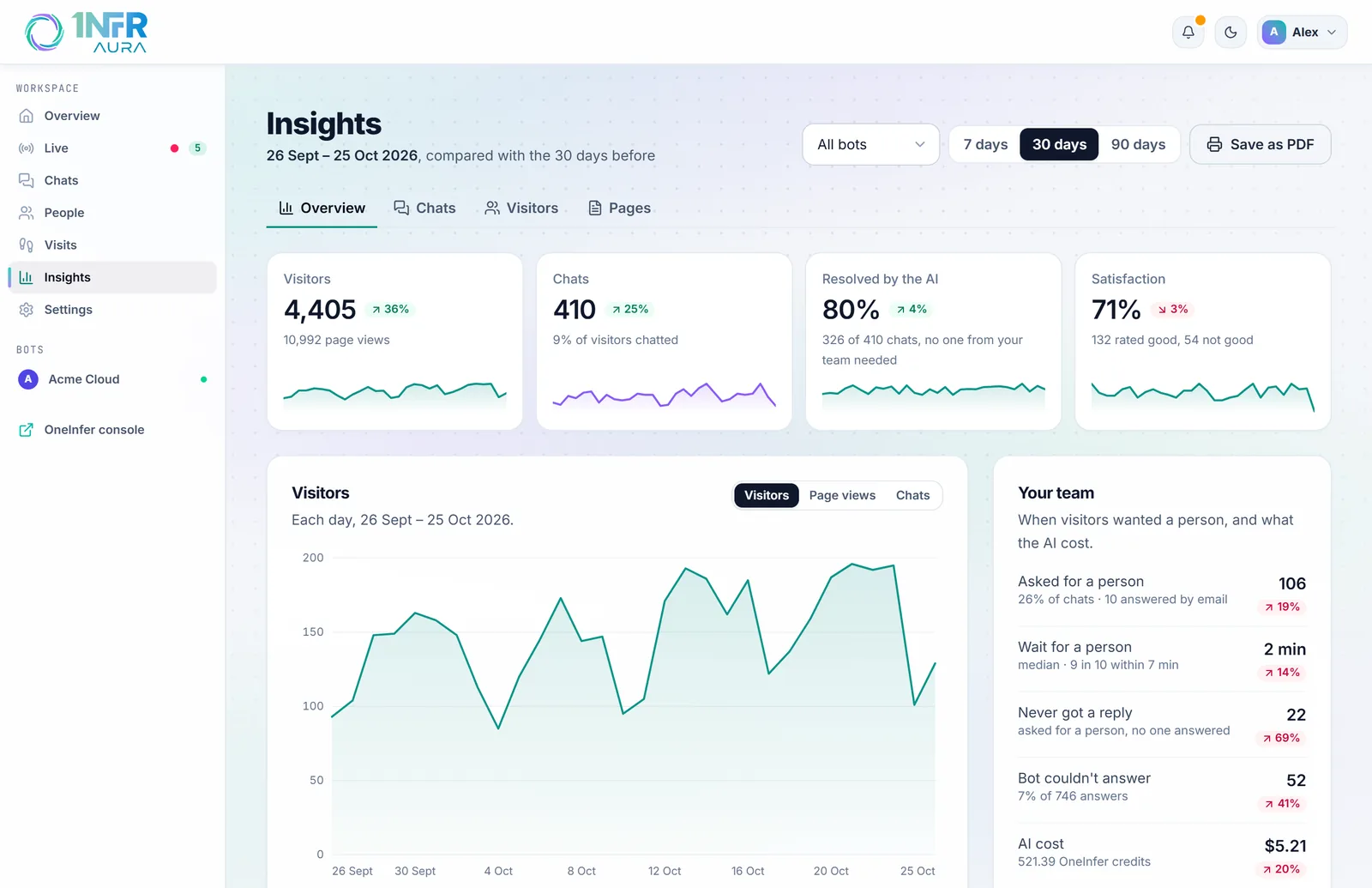
Choose what you're looking at
- Bot: all bots, or one.
- Period: the last 7, 30 or 90 days. Every figure is compared with the same number of days before.
- Save as PDF prints the tab, or saves it as a PDF to share. The controls aren't printed.
Each tile shows the figure, a small daily trend, and a badge with the change from the period before. Green is good news and red is bad: for some figures, such as bounce rate or waiting time, lower is better. "New" means the period before had none.
Days are counted in UTC; When people chat uses your own time zone.
Overview
| Tile | What it measures |
|---|---|
| Visitors | Unique visitors each day, added up over the period, with page views beneath. |
| Chats | Conversations started, and the share of visitors who chatted. |
| Resolved by the AI | Chats the AI answered with no one from your team needed. |
| Satisfaction | Of the chats visitors rated, the share rated good. |
The Traffic chart shows visitors, page views or chats each day.
Your team shows:
- how many chats asked for a person;
- how long they waited (the median, and the time 9 in 10 were answered within);
- how many never got a reply;
- how often the bot couldn't answer;
- the AI's cost in OneInfer credits.
Below come the AI insights, On your site and Goals.
AI insights
Read my figures has your bot's model read the period beside the one before and say what stands out: three to six findings, each with what to do next, and a link to the page when it names one.
- It runs only when you ask, and uses your OneInfer credits: a few cents each time.
- Its findings are kept, so opening Insights again shows them at no cost.
- The model sees counts only, never who your visitors are.
- AI can be wrong: check the figures beneath.
Owners, admins and developers can run it.
On your site
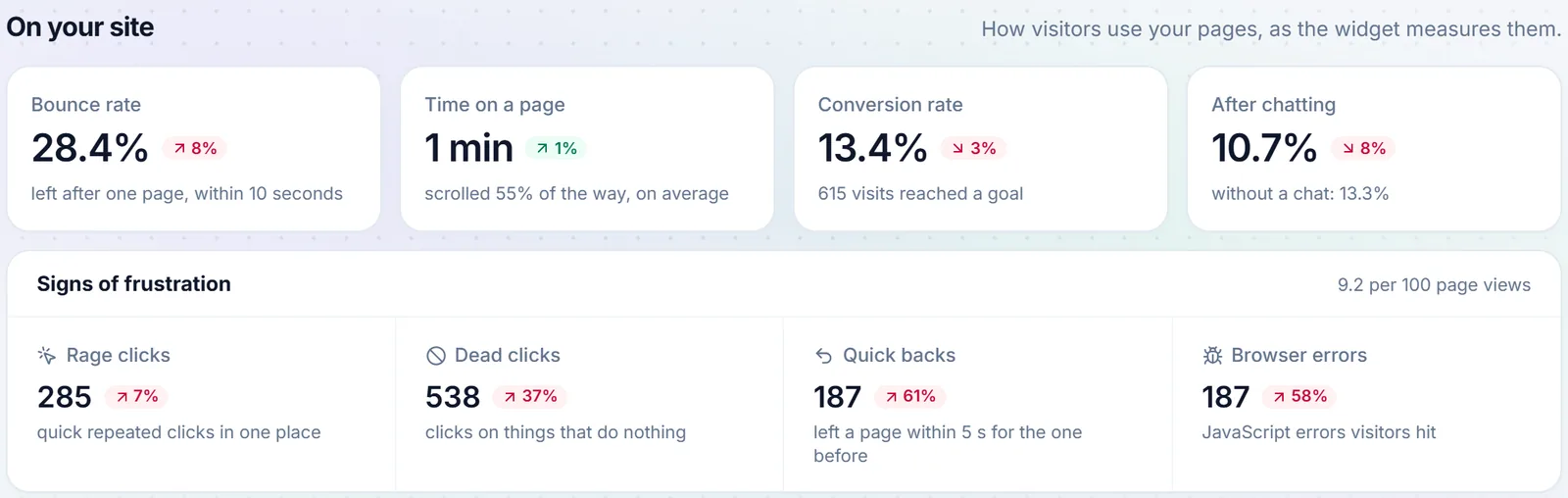
| Figure | What it measures |
|---|---|
| Bounce rate | Visits that left after one page within 10 seconds, without chatting or reaching a goal. |
| Time on a page | Active time on a page, on average: the page visible and in use. With how far down people scrolled. |
| Conversion rate | Visits that reached any goal. |
| After chatting | Of the visits that chatted, the share that reached a goal after the chat, beside visits that didn't chat. |
Signs of frustration counts, per 100 page views:
- Rage clicks: three quick clicks in one place;
- Dead clicks: clicks on something that does nothing;
- Quick backs: leaving a page within 5 seconds for the one before.
Browser errors are counted beside them.
Chats
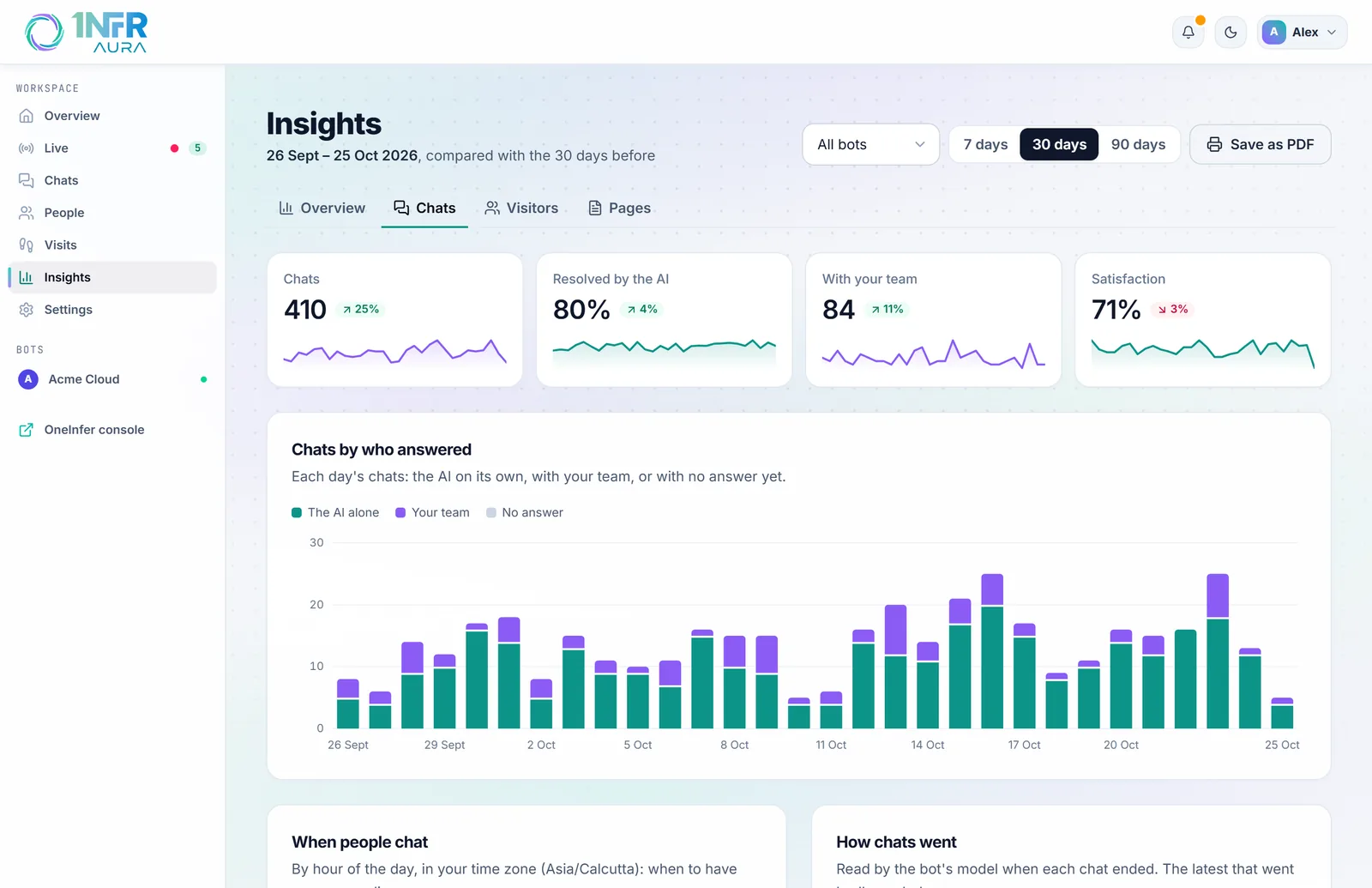
- Chats by who answered: each day's chats answered by the AI alone, by your team, or with no answer yet.
- When people chat: by hour of the day, in your time zone, so you know when to have someone online.
- How chats went: went well, neutral or went badly, when a bot reads finished chats (turn on Read finished chats for how they went in the bot's Model step). The latest that went badly are listed, with a link to each.
- Questions the bot couldn't answer: the latest, with Add to knowledge to fill the gap.
Visitors
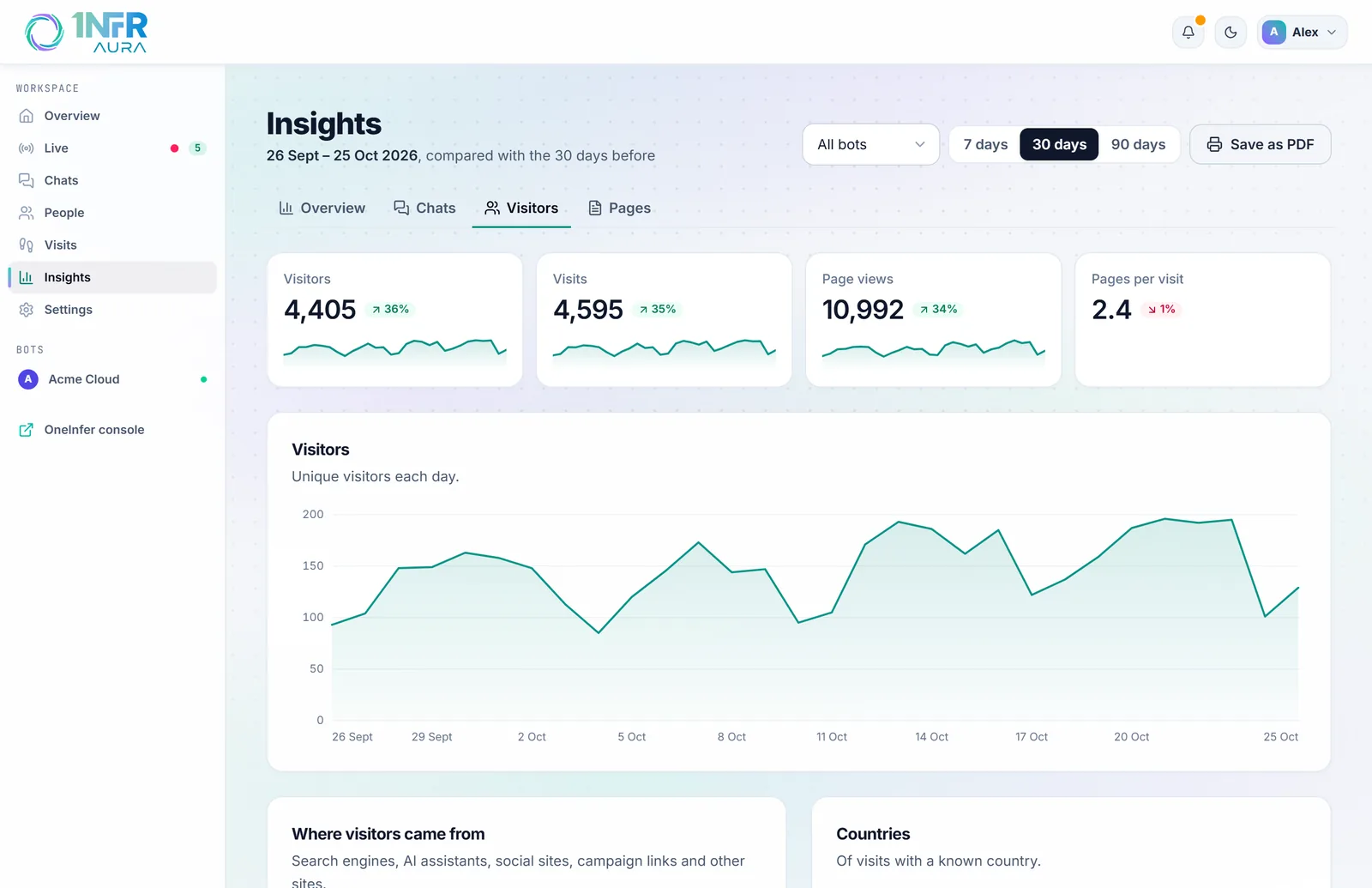
Visitors, visits, page views and pages per visit, then:
- Where visitors came from: search engines, AI assistants such as ChatGPT, social sites, campaign links and other sites;
- Countries: of the visits with a known country.
Pages
Your pages lists how each page is used: views, bounce and exit rates, time, scrolling, frustration, errors and loading speed. Sort it by Most viewed, Most frustrating, Most exits or Slowest. Choose a page for its page report, or Heatmap to see where people click.
Page speed and Browser errors sit beside it. See Pages and heatmaps.
What isn't counted
- Crawlers, and visits that never show a sign of a person, such as email security tools that open links and leave. A person moves the mouse, touches, types, or keeps the page on screen for 30 seconds.
- Your own visits through heatmap links.
Pages with ids in their address count as one: /orders/18342 and /orders/18343 are both /orders/:id.