

DocsTeam and settings
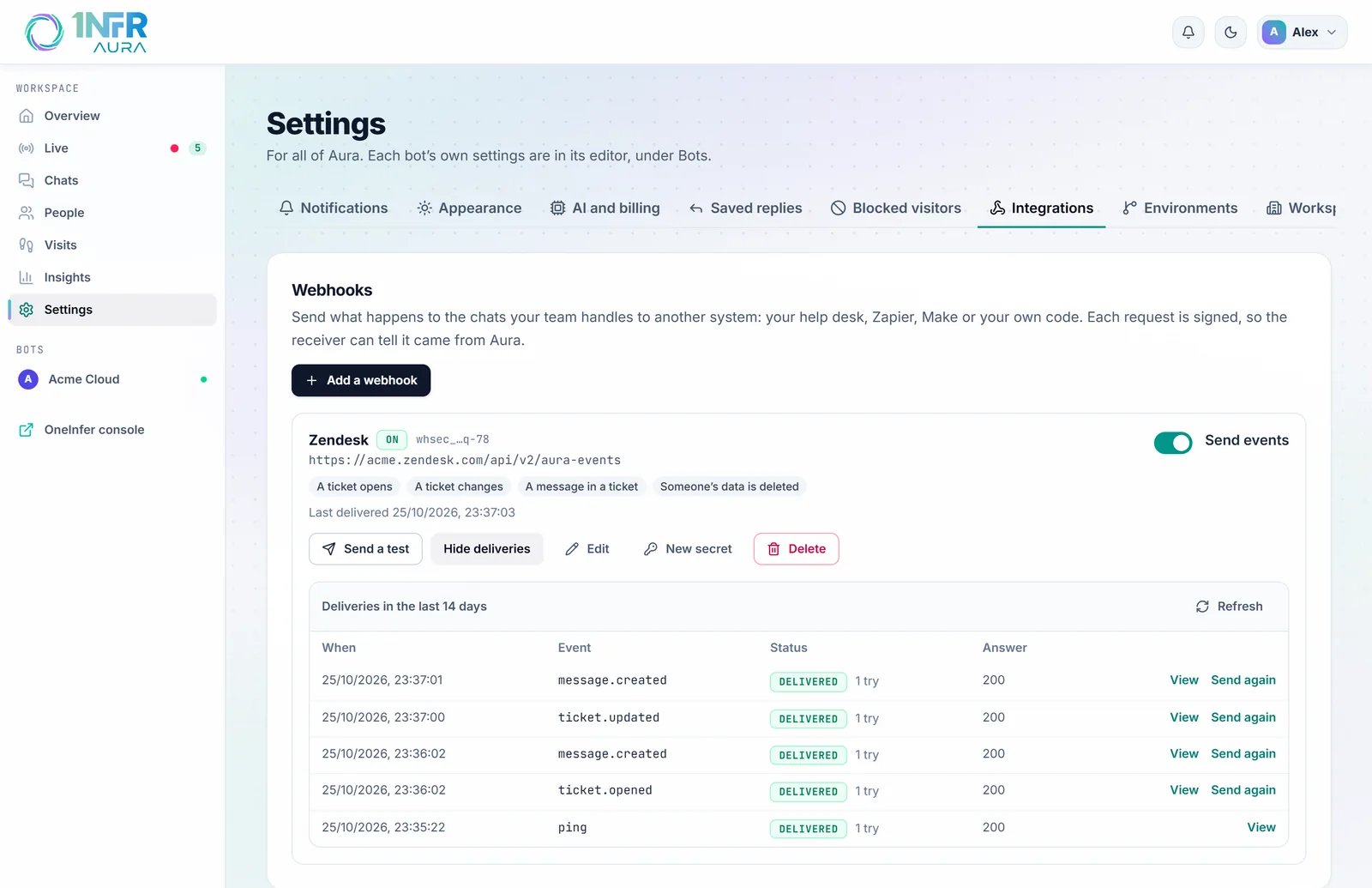
Connect your help desk with webhooks
Aura can send what happens to the chats your team handles to any other system: your help desk, an automation tool such as Zapier or Make, or your own code. Each request is signed, so the receiver knows it came from Aura.
Integrations are in Settings, under Integrations. Owners and admins set them up.
Add a webhook
- Choose Add a webhook.
- Give it a Name, such as "Zendesk", and the Address that should receive events. It must start with
https://. - Tick the events to send. New webhooks start with a ticket opening, a ticket changing, messages in tickets and deleted visitors.
- Choose Add webhook.
- Copy the signing secret that appears. You won't see it again; New secret makes another.
- Choose Send a test. The receiver should answer with any 2xx status.
Events
| Event | When it's sent |
|---|---|
A ticket opens (ticket.opened) | A chat reaches your team and becomes a ticket. Carries the chat so far. |
A ticket changes (ticket.updated) | Its status, priority, assignee or tags change. Carries what changed. |
A message in a ticket (message.created) | The visitor, the bot or your team writes in a ticket, or someone adds a note. |
A chat ends (conversation.closed) | A chat closes. Carries the whole chat. |
A visitor rates a chat (conversation.rated) | The visitor rates a chat that ended. |
Someone's data is deleted (visitor.deleted) | You deleted a visitor's data. Delete what you keep of theirs. |
Chats the AI handles alone never send messages: only tickets do.
Every event carries the chat: a link back to it in Aura, the bot, the visitor's name, email and your site's id for them, the page it started on, and the ticket's status, priority, assignee and tags.
{
  "id": "evt_9f2c41d0a7b3e5c218f06d4e",
  "type": "ticket.opened",
  "created_at": "2026-10-25T10:04:00+00:00",
  "data": {
    "conversation": {
      "id": "c2d4…",
      "url": "https://aura.oneinfer.ai/chats?conversation=c2d4…",
      "bot": { "id": "…", "name": "Acme Cloud" },
      "visitor": { "name": "Sam Lee", "email": "sam@example.org", "website_id": "user_42" },
      "page_url": "https://www.acme.com/pricing",
      "status": "open", "priority": "normal", "assignee": null, "tags": []
    },
    "transcript": [{ "author": "visitor", "text": "Can I talk to someone?", "at": "…" }]
  }
}Check the signature
Each request has an Aura-Signature header, t=<time>,v1=<signature>. The signature is the HMAC-SHA256 of the time, a dot and the raw request body, made with your webhook's secret. Check it before trusting a request, and refuse old times:
import crypto from 'node:crypto';

function fromAura(rawBody, header, secret) {
  const [t, v1] = header.split(',').map((part) => part.split('=')[1]);
  const expected = crypto.createHmac('sha256', secret).update(`${t}.${rawBody}`).digest('hex');
  const fresh = Math.abs(Date.now() / 1000 - Number(t)) < 300;
  return fresh && crypto.timingSafeEqual(Buffer.from(expected), Buffer.from(v1));
}
Requests also carry Aura-Event (the event's type), Aura-Event-Id (the same event can arrive twice, so drop repeats by this id) and Aura-Delivery.
Deliveries and retries
Answer within 10 seconds with any 2xx status. Anything else, or no answer, is tried again 1, 5 and 30 minutes, 2, 6 and 12 hours later, then marked failed.
Deliveries under each webhook shows the last 14 days: each event, how it went, and the start of the answer. View shows what was sent, and Send again sends it once more. Because a retried delivery can arrive after a newer one, order events by their created_at.
Aura only sends to public HTTPS addresses, and doesn't follow redirects.
Connect a help desk
| Help desk | How to connect it |
|---|---|
| Zendesk | Create a webhook trigger, or use Zapier or Make, to create a ticket from "A ticket opens" and add comments from "A message in a ticket". |
| Freshdesk, Jira Service Management, ServiceNow, HubSpot | The same, through the help desk's own automation or an automation tool. |
| Your own system | Receive the events in a few lines of code, check the signature, and call your system's API. |
Each event carries the visitor's email and the chat so far, so the help desk ticket starts with the whole story. Its link back opens the chat in Aura, with the visitor's journey and heatmap.