

DocsYour bot
Bring in your team, and opening hours
The Team step decides when a chat moves from the bot to a person, what visitors hear when nobody's around, and when quiet chats end.
Open your bot and go to Team.
When a visitor gets a person
A chat goes to your team when the visitor:
- uses one of your Keywords (by default "human", "agent" and "talk to someone"), as a whole word in any case;
- says yes right after the bot's fallback offer, such as "yes", "sure", "ok" or "please".
The bot tells them "I'm bringing in someone from your team name. They'll reply here." The chat shows on Live under Waiting for you, it becomes a ticket, and your team is alerted.
| Setting | Default | What it does |
|---|---|---|
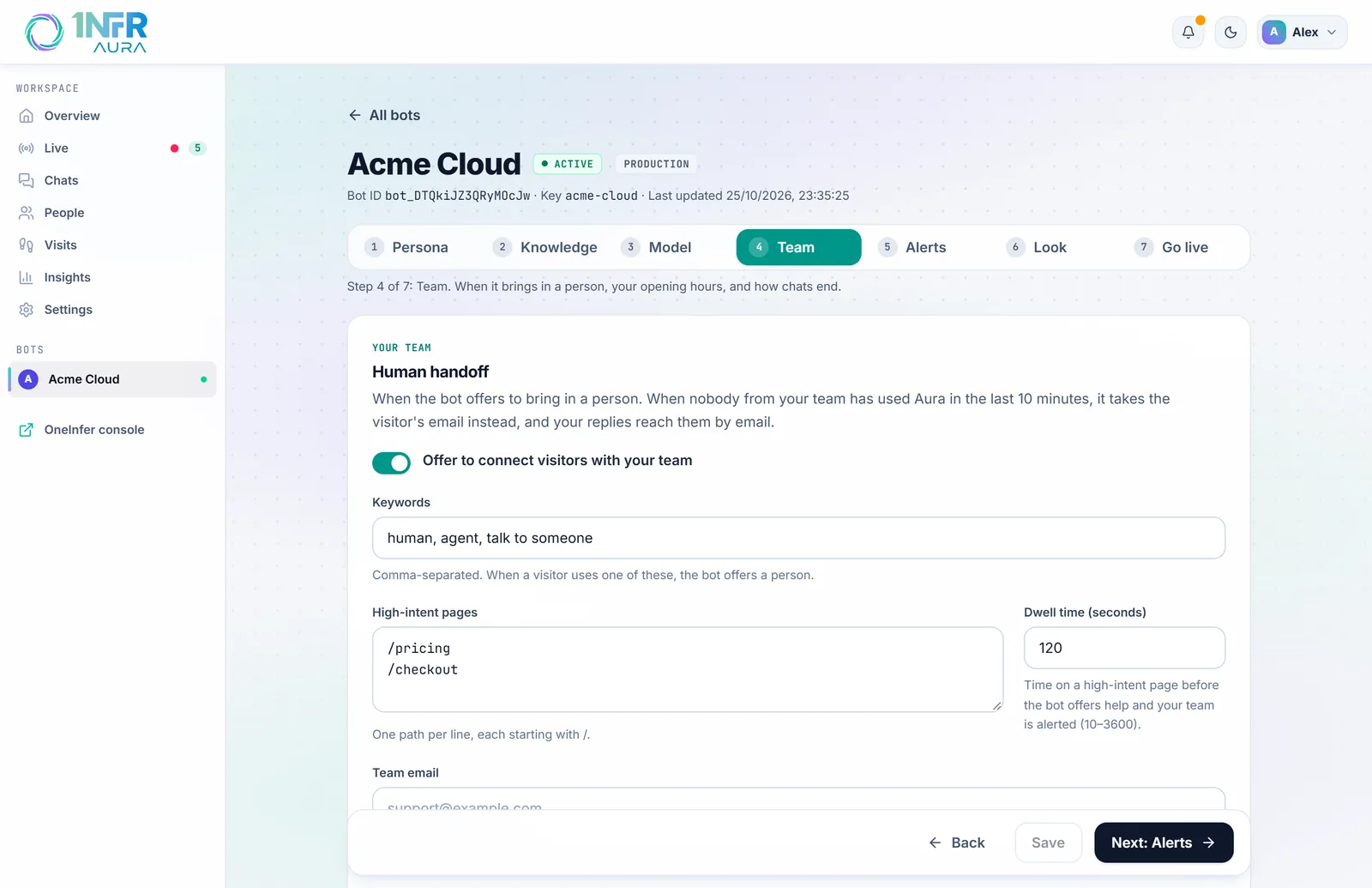
| Offer to connect visitors with your team | On | Turns keyword matching on or off. A yes to the fallback offer still brings in your team. |
| Keywords | human, agent, talk to someone | Comma-separated, up to 20. |
| High-intent pages | /pricing, /checkout | One path per line. Your team is alerted when someone stays on one of these. |
| Dwell time (seconds) | 120 | How long on a high-intent page before that alert, from 10 to 3,600. |
| Team email | Empty | Gets an email when a visitor asks for a person and nobody from your team is online. Emails to visitors name it as where to reply. |
If nobody replies
Under If nobody replies:
- Remind your team after (minutes) (default 3): alerts again, in Aura, Slack and Microsoft Teams. 0 for never.
- Ask the visitor for an email after (minutes) (default 10): the bot says sorry for the wait and asks for their email, so your reply reaches them there. 0 for never.
These steps don't run outside opening hours.
When nobody is online
Your team counts as away when nobody has used Aura in the last 10 minutes, or outside your opening hours. Then a visitor who asks for a person hears that nobody is online (or when you're back) and is asked for their email.
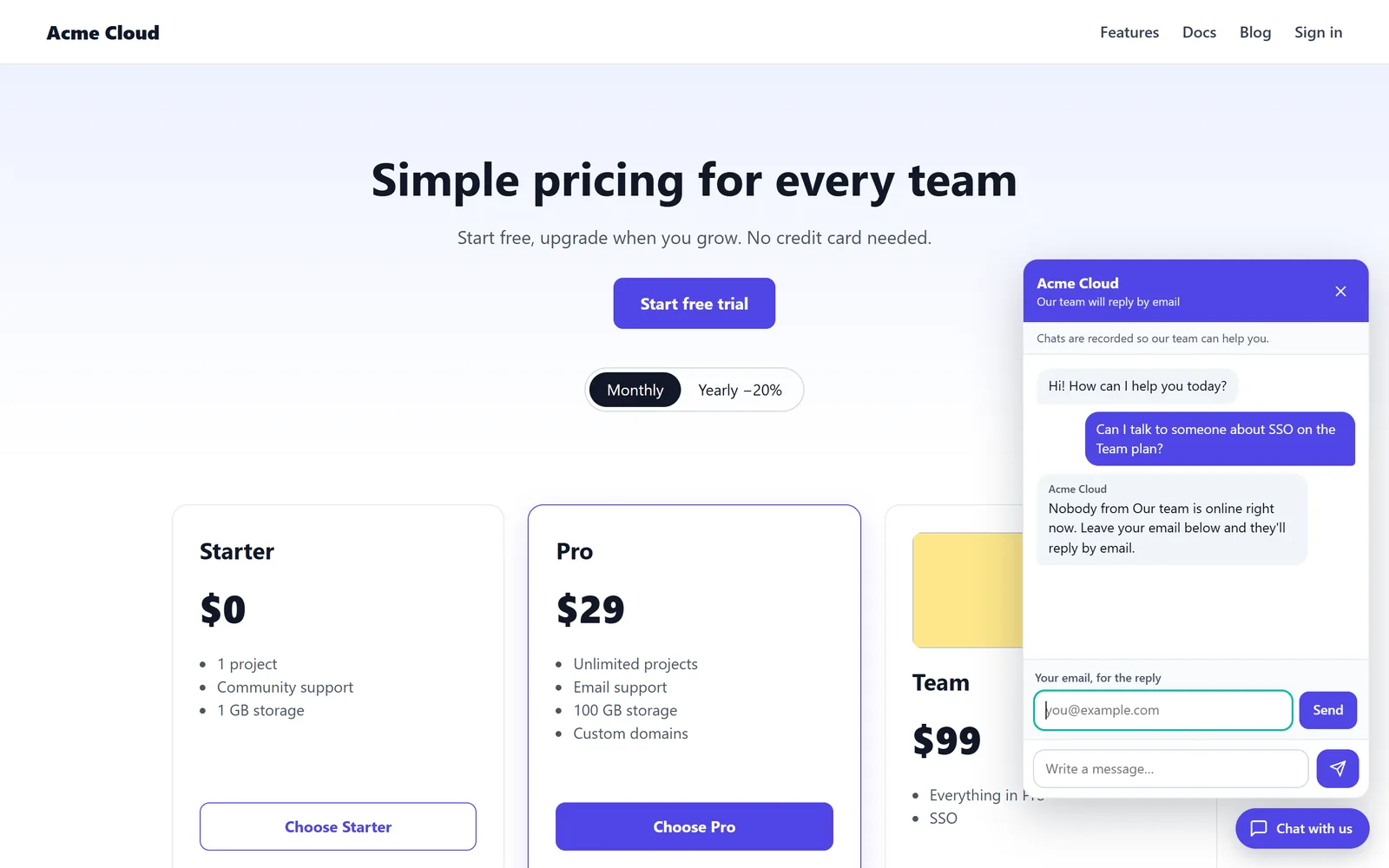
Your replies are emailed to them about 90 seconds after you send them, from support@oneinfer.ai, unless they're back on your site by then. If Team email is set, it gets an email for each visitor who asks while you're away.
Opening hours
Turn on Set opening hours to tell visitors when your team answers. The bot knows them too, so it can answer "are you open?".
- Choose your Time zone.
- Use Weekdays 9–6 or Every day 9–9 under Quick set, or set each day: tick it, set the times, and use Add hours for a split day (up to three ranges a day).
- Choose Save.
Outside opening hours your team counts as away, even if someone has Aura open, and visitors are told when you're back, in their own time zone. You can still reply at any time.
How chats end
Under Chats:
| Setting | Default | What it does |
|---|---|---|
| Before the chat | Don't ask | Ask first-time visitors for their name and email: Ask, and let them skip or Ask, and require both. Asking puts some people off, so optional is a good middle ground. |
| Close quiet chats after (minutes) | 30 | A chat with no new message for this long closes, and the visitor is asked to rate it. 0 for never. |
| Email visitors a copy of the chat when it closes | Off | Only to visitors who gave an email. Visitors can also ask for a copy themselves when a chat ends. |
Closing a chat doesn't solve its ticket: a closed chat can still be a ticket your team owes an answer on. See Tickets.