

DocsYour bot
The chat on your site
The Look step sets how the chat button and panel look and behave on your site. A preview beside the fields shows the button as you change it.
Open your bot and go to Look.
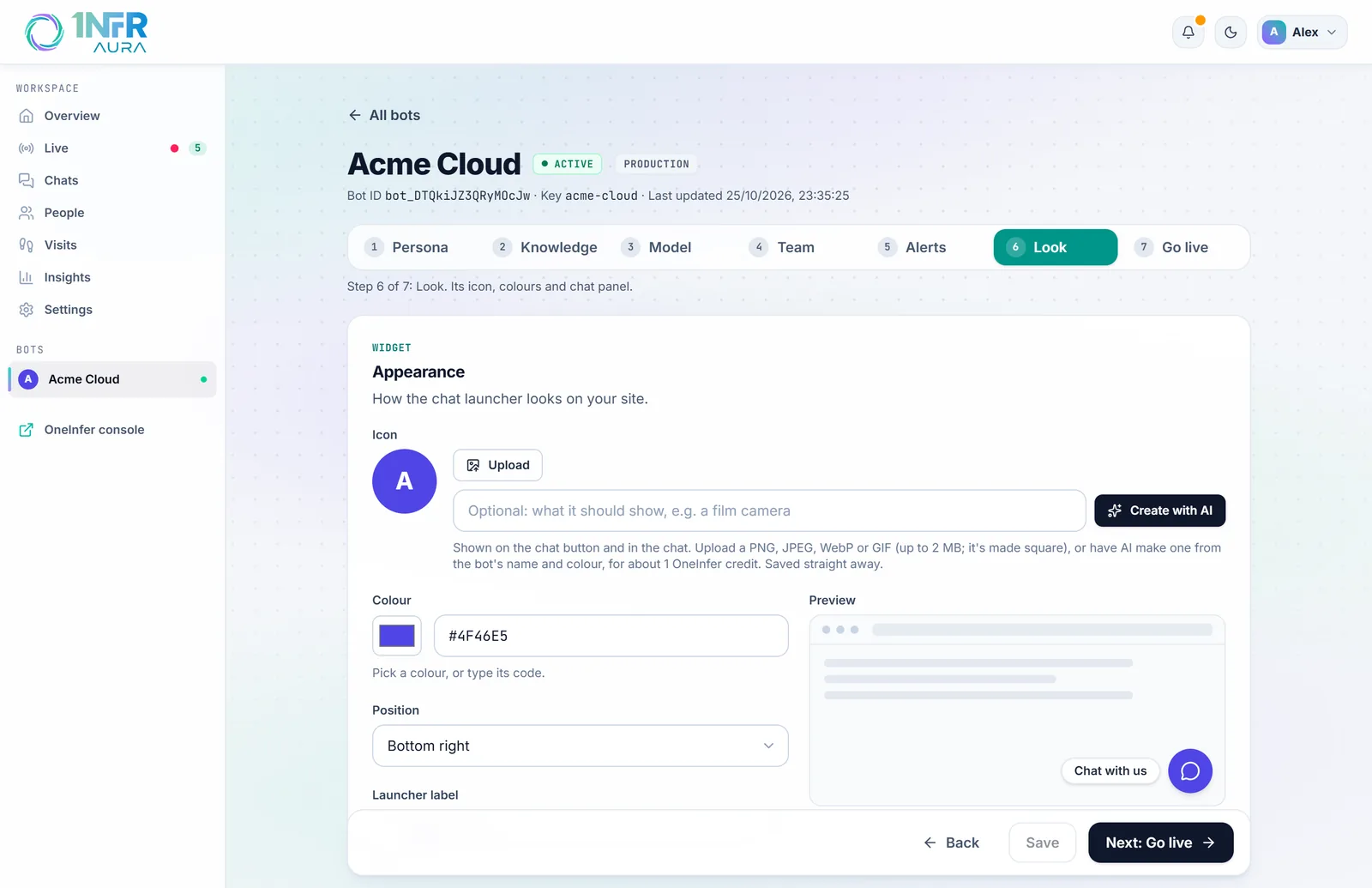
The chat button
| Setting | Default | What it does |
|---|---|---|
| Icon | None | Shown on the chat button and in the chat. Upload a PNG, JPEG, WebP or GIF up to 2 MB (it's made square), or Create with AI from the bot's name and colour, for about 1 OneInfer credit. Saved straight away. |
| Colour | #4F46E5 | The button and the visitor's messages. Pick a colour or type its code. |
| Position | Bottom right | Or bottom left. |
| Launcher label | Chat with us | The text on the button, up to 40 characters. |
| Launcher | Icon and label | Or Round icon only. |
| Distance from the corner | 20 px, 20 px | From the side and from the bottom, 0 to 200, to keep it clear of your own buttons. |
The chat panel
| Setting | Default | What it does |
|---|---|---|
| Chat colours | Light | Or Dark, or Auto to follow the visitor's light or dark setting. |
| Under the bot's name | Ask us anything | A line under the name at the top, up to 60 characters. |
| Team name | Our team | Shown on your team's messages. Your own name is never shown to visitors. |
| Recording notice | Chats are recorded so our team can help you. | Always shown at the top of the chat. You can reword it, but not remove it. |
| Privacy policy | Empty | Linked from the recording notice. |
| Open the chat when your team writes | On | Off, a small bubble by the button shows the message instead. |
A teaser message
A teaser is a short message beside the chat button, such as "Questions about our plans? Ask me." It shows to people who haven't chatted yet, after the number of seconds you set on a page, and clicking it opens the chat. Visitors can close it.
It works best after 20 to 30 seconds, on the pages where people decide, like pricing or contact, rather than greeting everyone as each page opens. List those pages under Only on these pages; / means just the home page. Leave Show it after at 0 to turn the teaser off.
What visitors see
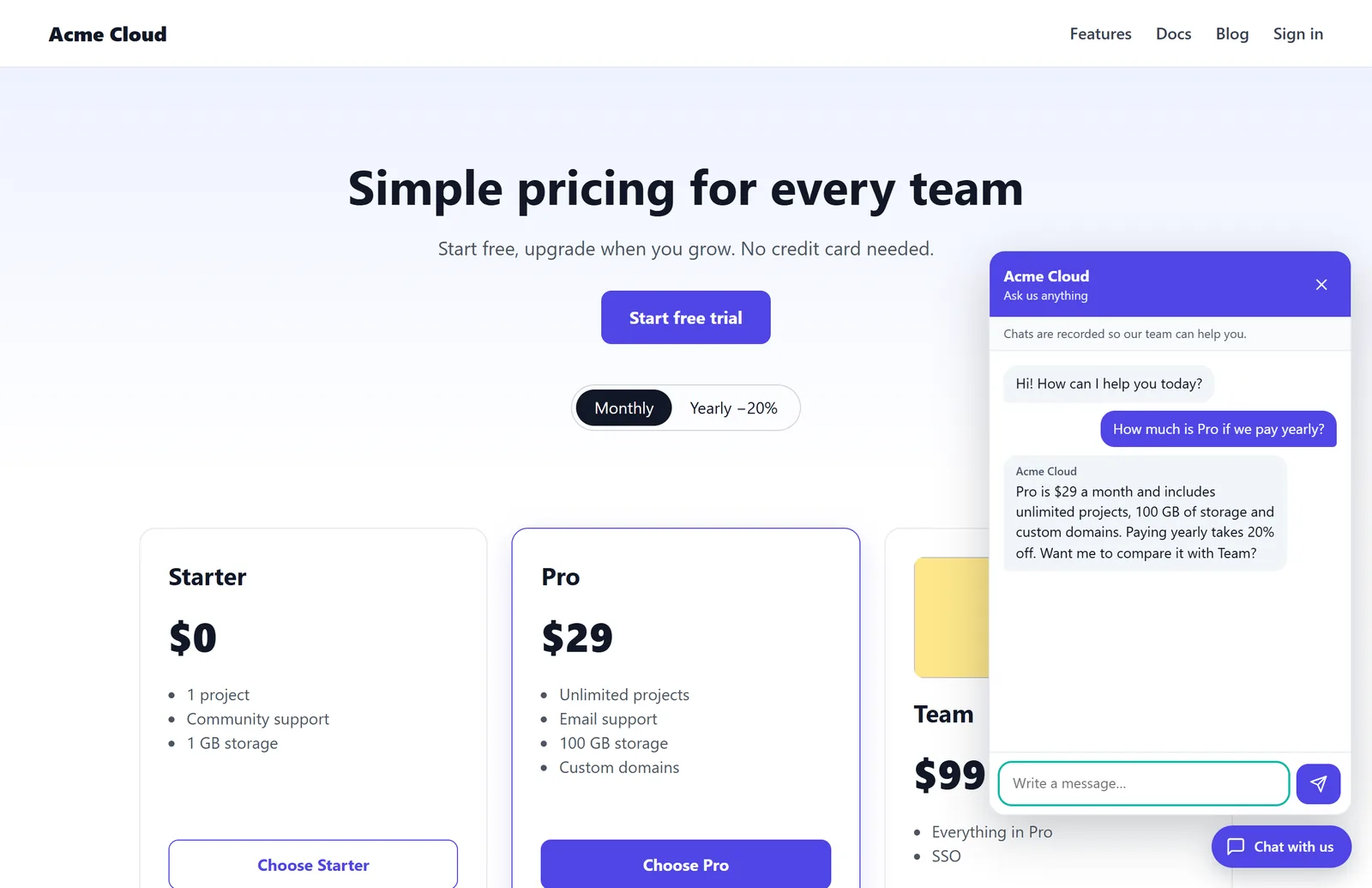
- The chat opens with your greeting and the recording notice.
- When someone from your team joins, they see "Team name joined the chat", and your replies carry the team name.
- When a chat ends, they see "This chat has ended. Write again any time." and can rate it Good or Not good, with an optional comment after "Not good". They can also have the chat emailed to them.
- If you ask for their name and email before the chat (on the Team step), they see a short form first.
The chat remembers nothing in the visitor's browser until they send their first message. See Privacy.
Where the chat shows
The chat shows only on the sites you list in Go live, under Allowed origins. To keep it off some pages, or off phones, see Add the chat to your site.