

DocsYour bot
Give your bot knowledge
The bot answers from the pages, files and text you give it. Changes apply straight away, with no need to save.
Open your bot and go to Knowledge. The card What the bot knows lists every source, with its status.
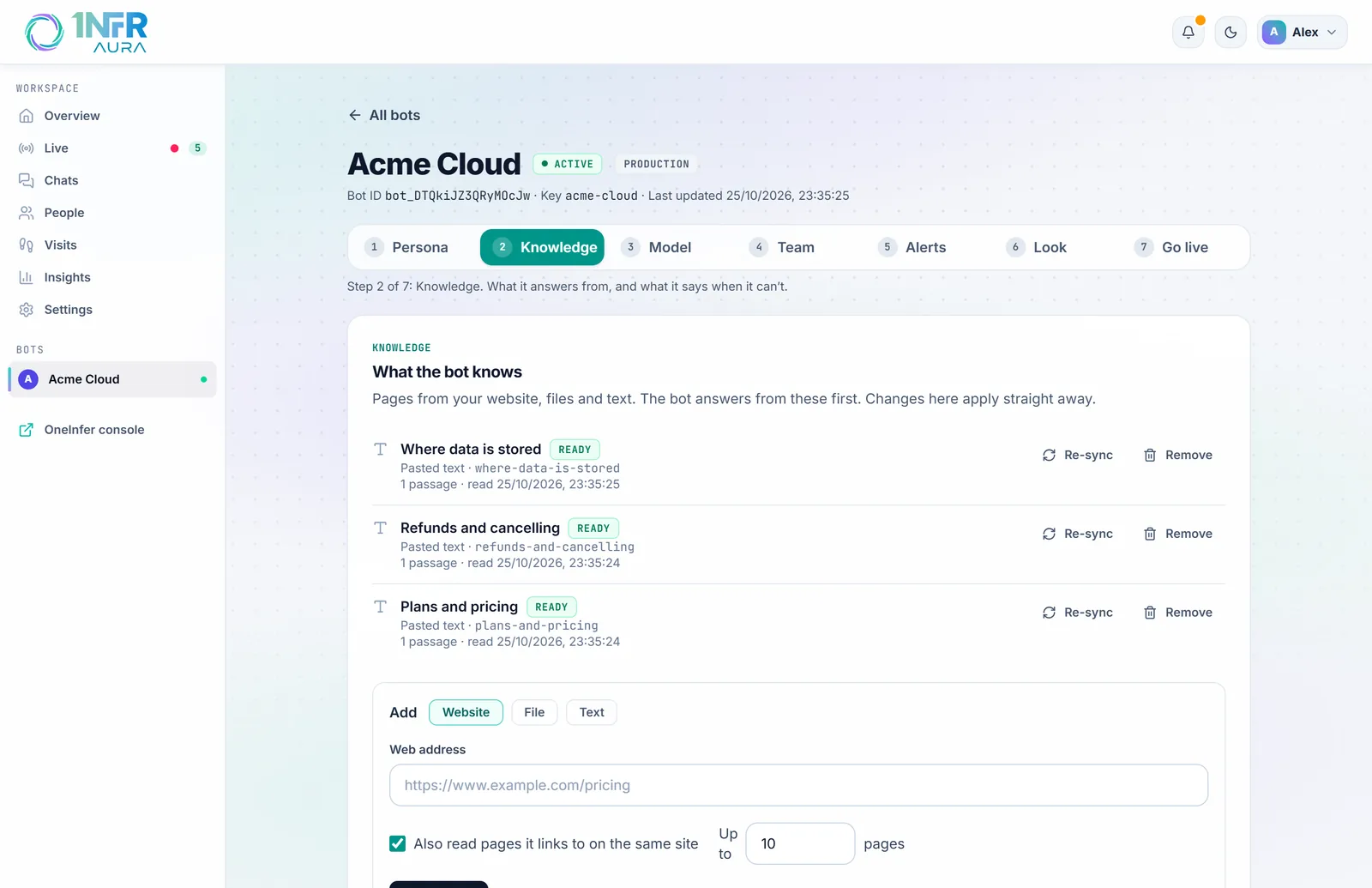
Add your website
- Under Add, choose Website.
- Enter a page's address, such as
https://www.example.com/pricing. - Leave Also read pages it links to on the same site ticked to read the pages it links to as well, up to the number you set (1 to 30). Untick it to read just that page.
- Choose Add website.
Aura reads the page and its links on the same site, without query strings. Start with the pages people ask about most: pricing, features, the FAQ, shipping and returns, contact. Only public pages can be added.
Add a file
Choose File, then Upload file. PDF, Word (.docx), Markdown, HTML, CSV and plain text work, up to 5 MB each. Only the text is kept.
Add text
Choose Text, give it a Title such as "Refund policy", paste the Text and choose Add text. Text is the quickest way to add something that isn't on your site, such as internal notes on what to say about upcoming features.
Keep it up to date
Each source shows Waiting, Reading, Ready or Failed (with the reason). When it's ready, you'll see how many pages and passages it holds and when it was read.
- Re-sync reads a source again. Aura doesn't re-read on its own, so re-sync after you change your pages.
- Remove takes a source out of what the bot knows.
A bot can have up to 50 sources.
Test what it finds
Under Try a question, type something a visitor might ask and choose See what it finds. You'll see the passages the bot would read before answering. If nothing matches, it would answer from its instructions or send its fallback message: add a source that covers it.
How answers use your knowledge
For each question, the bot reads up to four passages of about 250 words, favouring the page the visitor is on. With Knowledge only (on the same step, under Answers), it answers only when a passage fits, and otherwise sends your fallback message. See Persona, answers and the AI model.