

DocsWorking with visitors
Tickets
When a chat reaches your team, it becomes a ticket. A ticket says what your team still owes the visitor, apart from whether the chat itself is still going.
Tickets in Aura are deliberately light: a status, an assignee, a priority and tags. If you already run a help desk, send tickets there with a webhook.
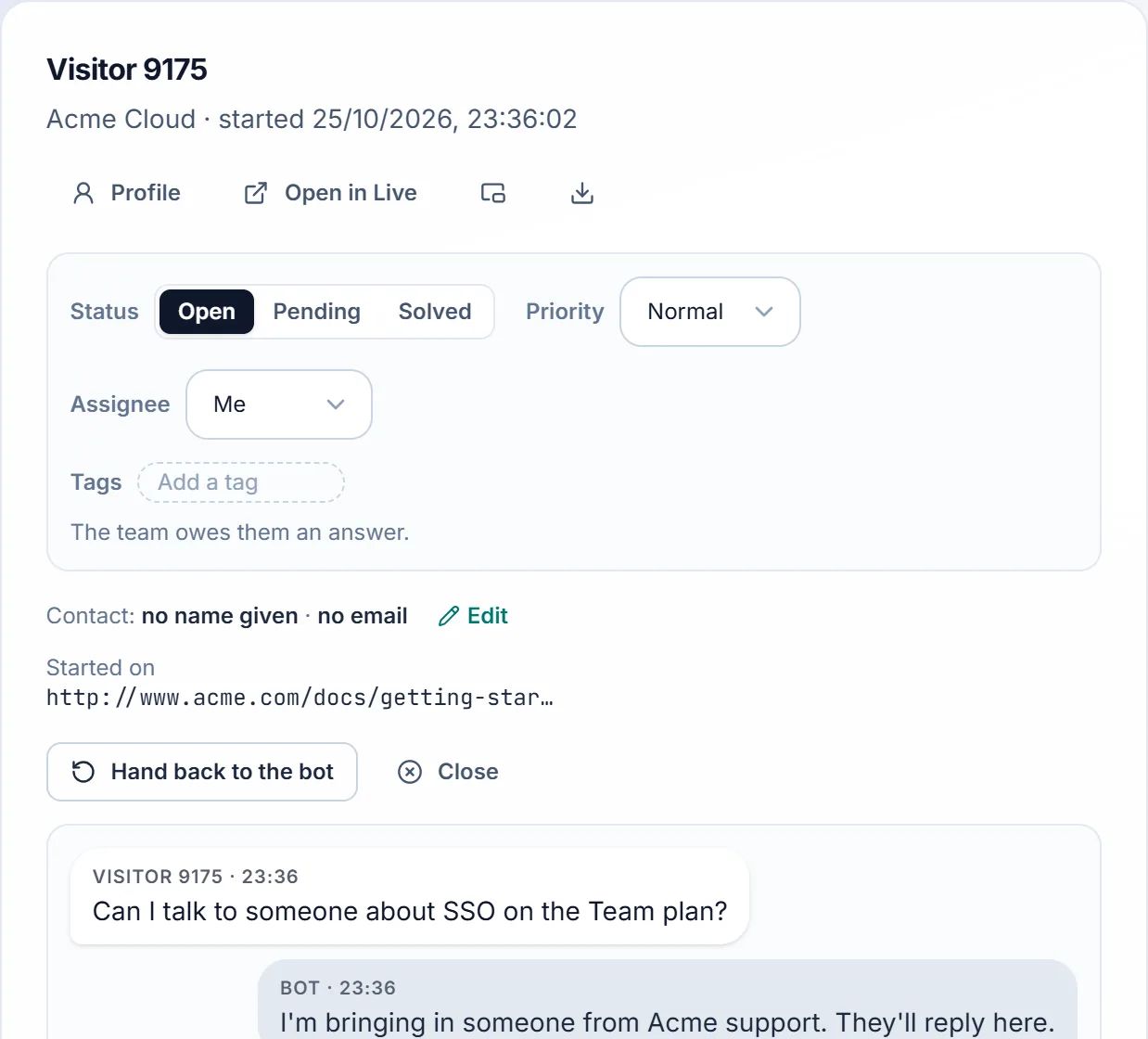
When a chat becomes a ticket
A chat becomes an Open ticket the first time your team is involved:
- the visitor asks for a person, or says yes to the bot's offer of one;
- someone on your team takes the chat over or replies;
- your team starts the chat from Live;
- someone gives it a status or an assignee.
A chat the AI handles alone isn't a ticket. Older chats, from before tickets, aren't either.
Status
| Status | What it means |
|---|---|
| Open | The team owes them an answer. |
| Pending | Waiting on the visitor. It opens again when they write. |
| Solved | Nothing more to do. It opens again if they write to the team. |
A ticket's status is separate from the chat's state:
- Solving a ticket doesn't end the chat, and closing a chat doesn't solve its ticket.
- Quiet chats still close on their own, but their tickets stay unsolved until someone solves them.
Assignee
The assignee owns the ticket, whether or not they're in the chat right now.
- Whoever takes a chat over, or starts it, becomes its assignee unless it already has one.
- Hand back to the bot keeps the assignee.
- Anyone who can reply can assign a ticket to someone else, or to Nobody.
- In an organisation, you can assign to owners, admins and developers: the roles that can reply. The new assignee gets an "A chat is assigned to you" alert.
Priority and tags
- Priority: Low, Normal (the default), High or Urgent. High and Urgent show as a flag in the list.
- Tags: up to 10 per chat, such as
billingorrefund. Tags are lowercase letters, digits,-and_, and spaces become-. As you type, the tags already in use are suggested.
Work through your queue
In Chats:
- Mine: your unsolved tickets.
- Unassigned: unsolved tickets nobody has taken.
- Unsolved: every open or pending ticket.
Narrow any view with Status, Priority, Assignee (anyone's, mine, nobody's or a teammate's) and Tag.
Who can change tickets
Owners, admins and developers can change a ticket's status, priority, assignee and tags. Billing and viewer roles see them without the controls. Every change is kept in the workspace's audit log.