

DocsWorking with visitors
People
People lists everyone who has chatted on your sites in the last 12 months, newest first, so you can find someone and see everything they've said and done.
Find someone
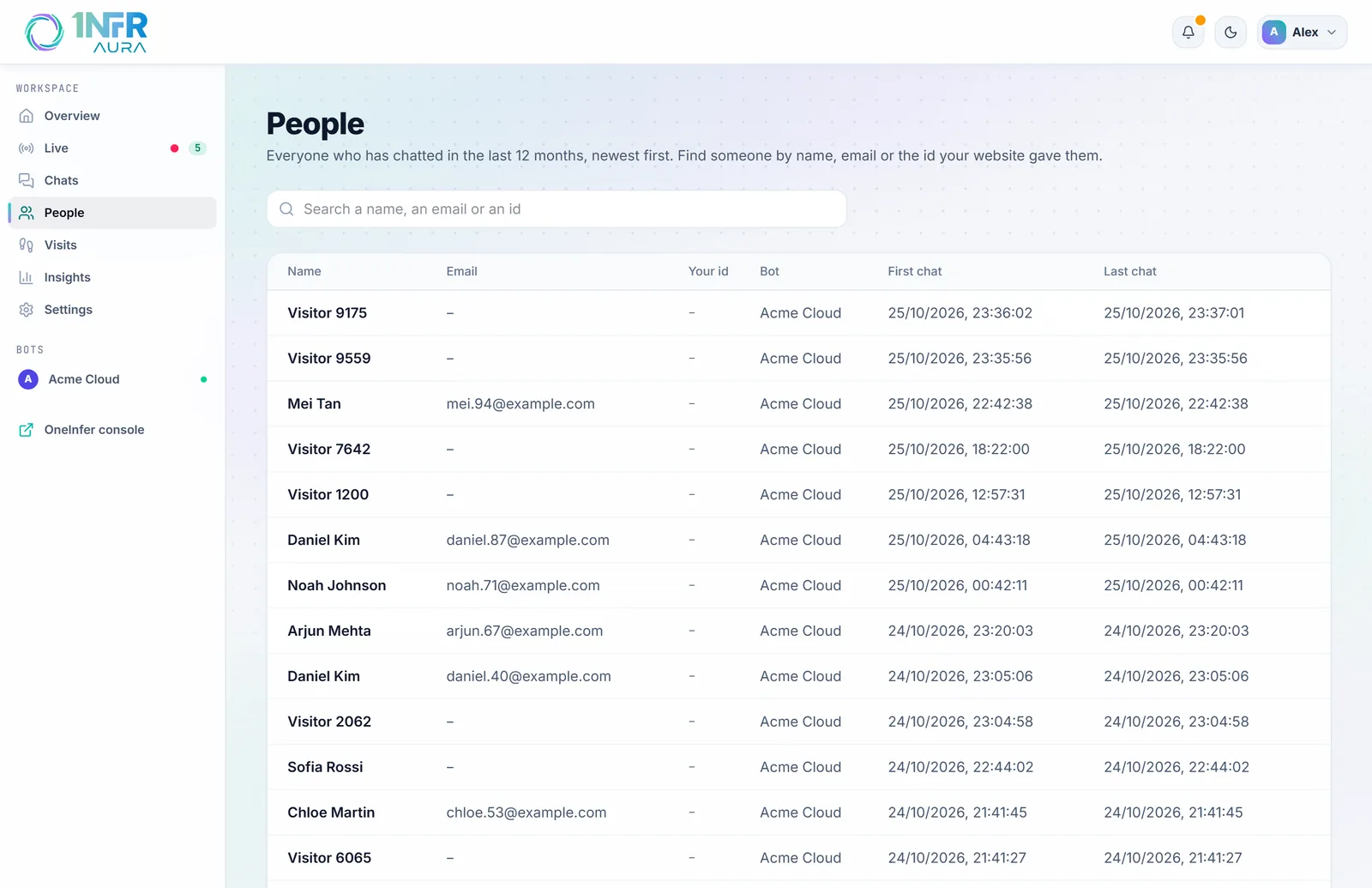
Search by name, email or the id your website gave them (see telling the bot who is signed in). Names and emails match as you type, from the first two letters.
The table shows each person's Name, Email, Your id, Bot, First chat and Last chat, 25 to 100 at a time.
A person's page
Choose someone to open their page:
- their email, your site's id and name for them, the bot they first chatted with, and when they were last seen;
- the details your website passed on their latest chat (not verified);
- Chats: every chat kept, with its state, bot, date and summary. Choose one to open it in Chats;
- Visits in the last 30 days: each visit with where they came from, their place, device and pages.
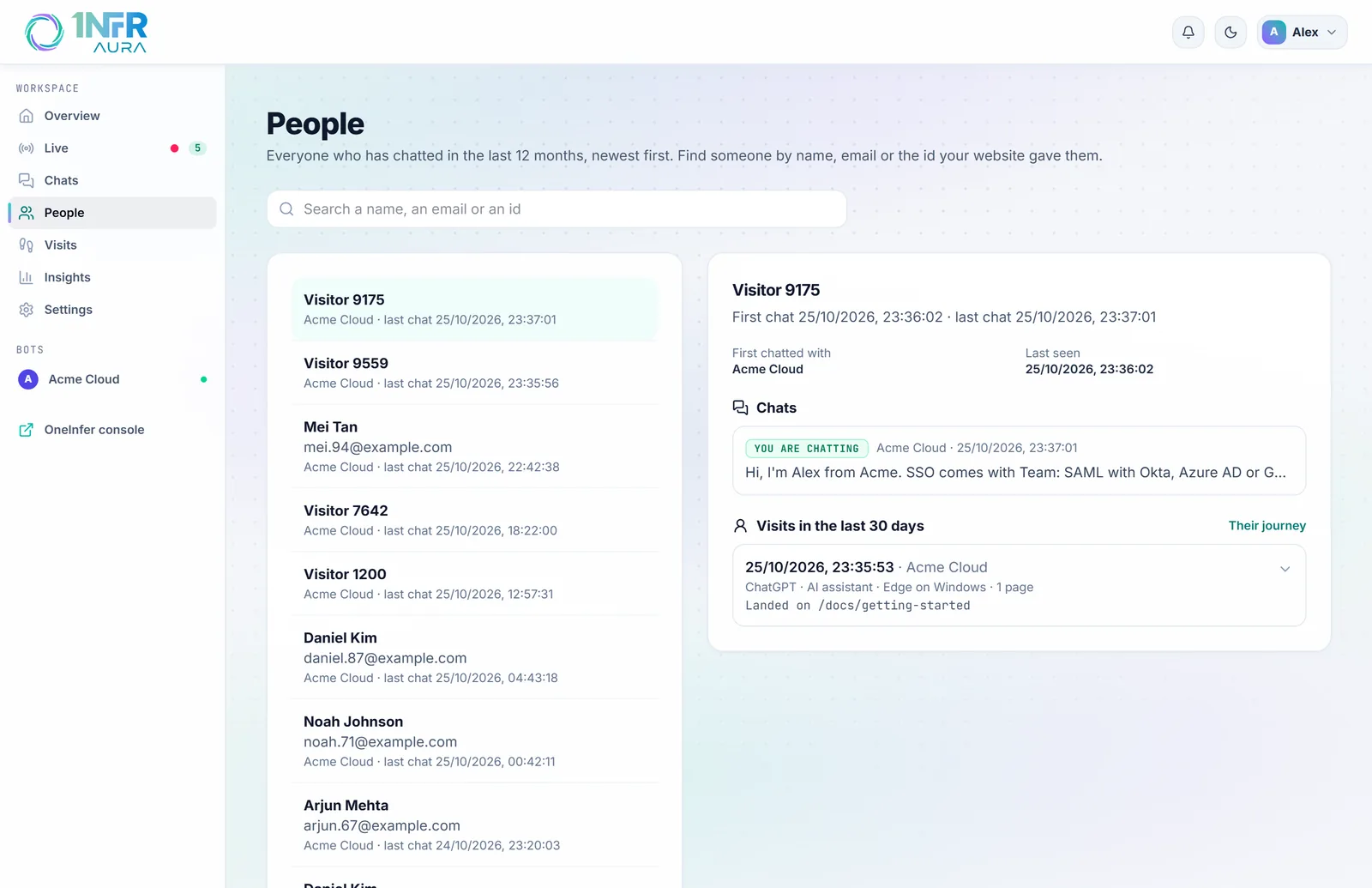
Their journey opens everything they did across their visits, in order: see Visits and journeys.
Who counts as a person
Someone becomes a person when they send their first chat message. Their browser keeps a token from then on, so their later chats and visits join up under them. People are kept for 12 months after their last chat.
Visitors who never chat aren't people: they're visits, kept 30 days.
To correct someone's name or email, use Edit next to Contact on any of their chats. The change is kept for their later chats.