

DocsInsights
Goals and events
A goal is something you want visitors to do, such as signing up or booking a demo. Insights counts the visits that reach each goal, and how many chatted with your bot first.
Add a goal
- Open your bot and go to the Go live step.
- Under Analytics, choose Add a goal.
- Give it a name, such as "Signed up", choose Page or Event, and what it matches.
- Choose Save.
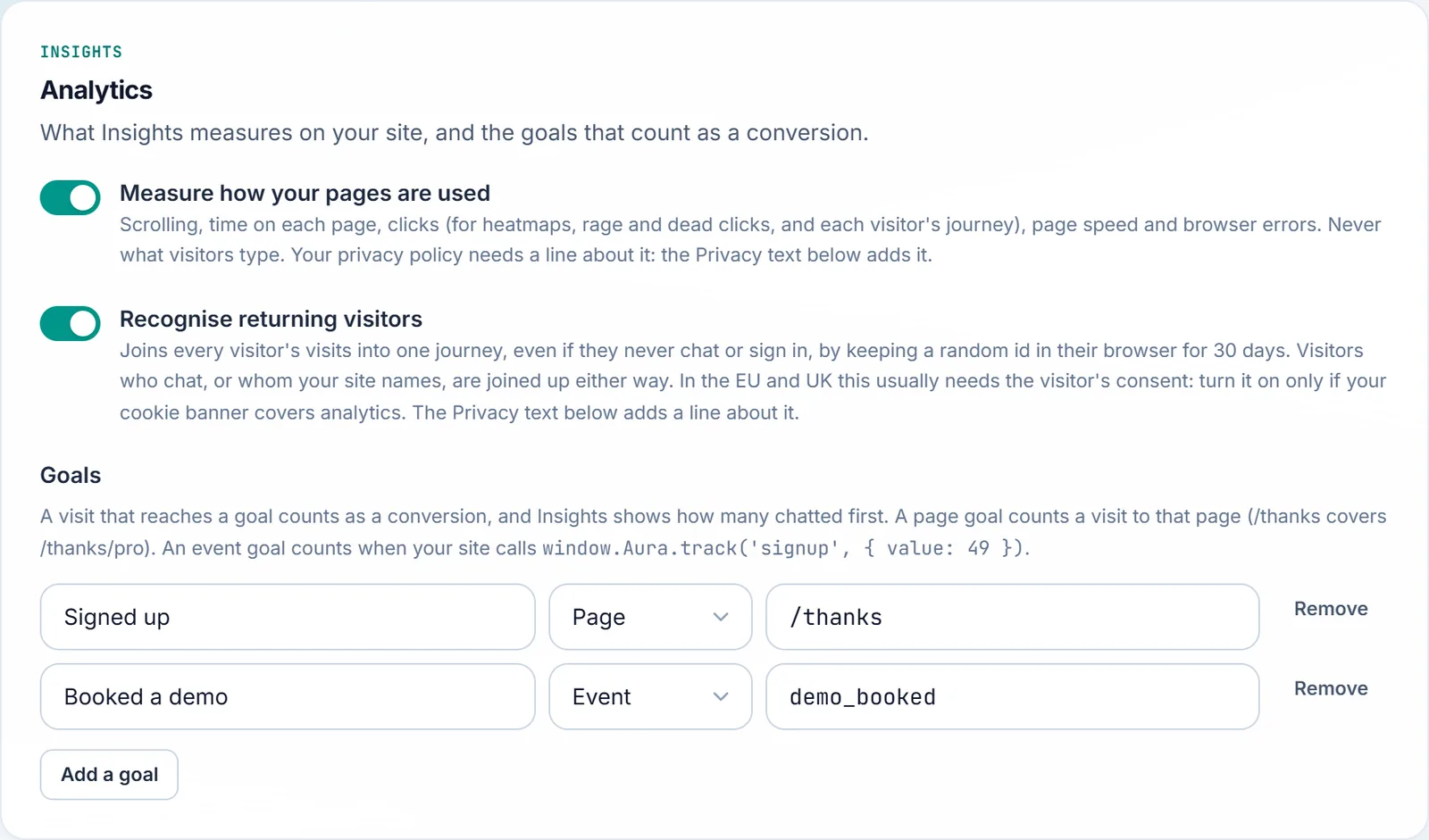
A bot can have up to 10 goals. Renaming a goal keeps its history.
Page goals
A page goal counts a visit to a page, such as your thank-you page. /thanks covers /thanks and the pages under it, such as /thanks/pro. A single / means just the home page.
Event goals
An event goal counts when your site calls window.Aura.track with its name:
// After a sign-up, with a value if there is one.
window.Aura?.track('signup', { value: 49 });- Names start with a letter, digit or underscore, then letters, digits, spaces and
. : / - _, up to 64 characters. Case doesn't matter. - The value is optional, a number such as an order total.
- A call made while the chat is still loading waits for it.
window.Auraappears when Aura's script starts, so call it with?.as above, or add the one-line stub from Add the chat to your website to keep calls from the very start of the page.
Events go through the chat's own connection on the page. There's no separate API to send them from a server.
Read your goals
On the Insights Overview, Goals shows each goal: how many visits reached it, the share of all visits, and how many reached it after a chat.
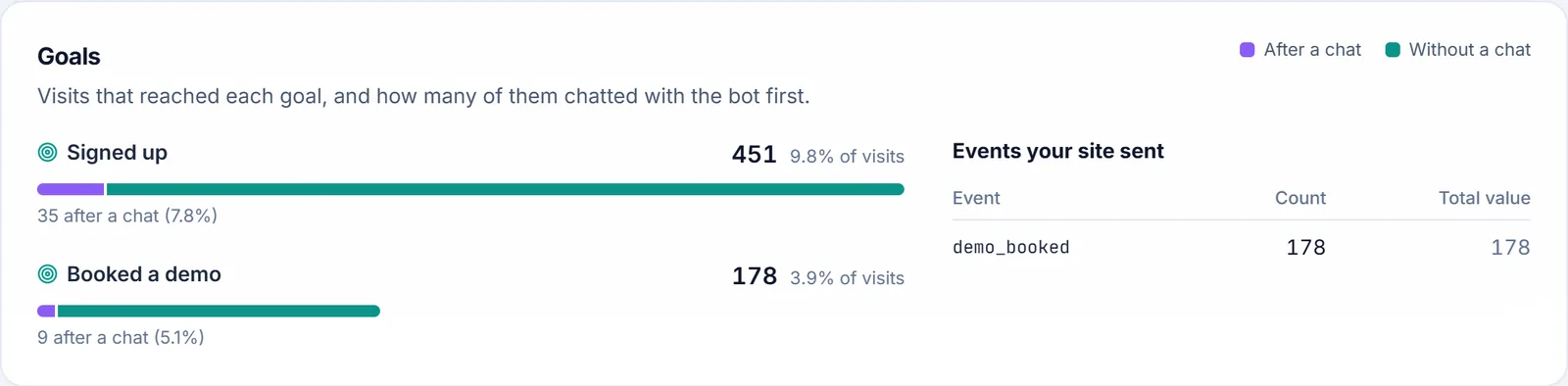
- After a chat: the visitor wrote to the bot, then reached the goal on the same visit.
- Without a chat: they reached it without chatting first.
On your site shows the overall Conversion rate and After chatting: how visits that chatted converted, beside visits that didn't. It's the clearest measure of what your bot is worth.
Events your site sent lists each event with its count and total value.
Good to know
- A visit reaches each goal once.
- Goals count even when Measure how your pages are used is off.
- Events from crawlers aren't counted.